
Estimators and Sales Representatives will love MoverBase fast and easy Inventory Management system!
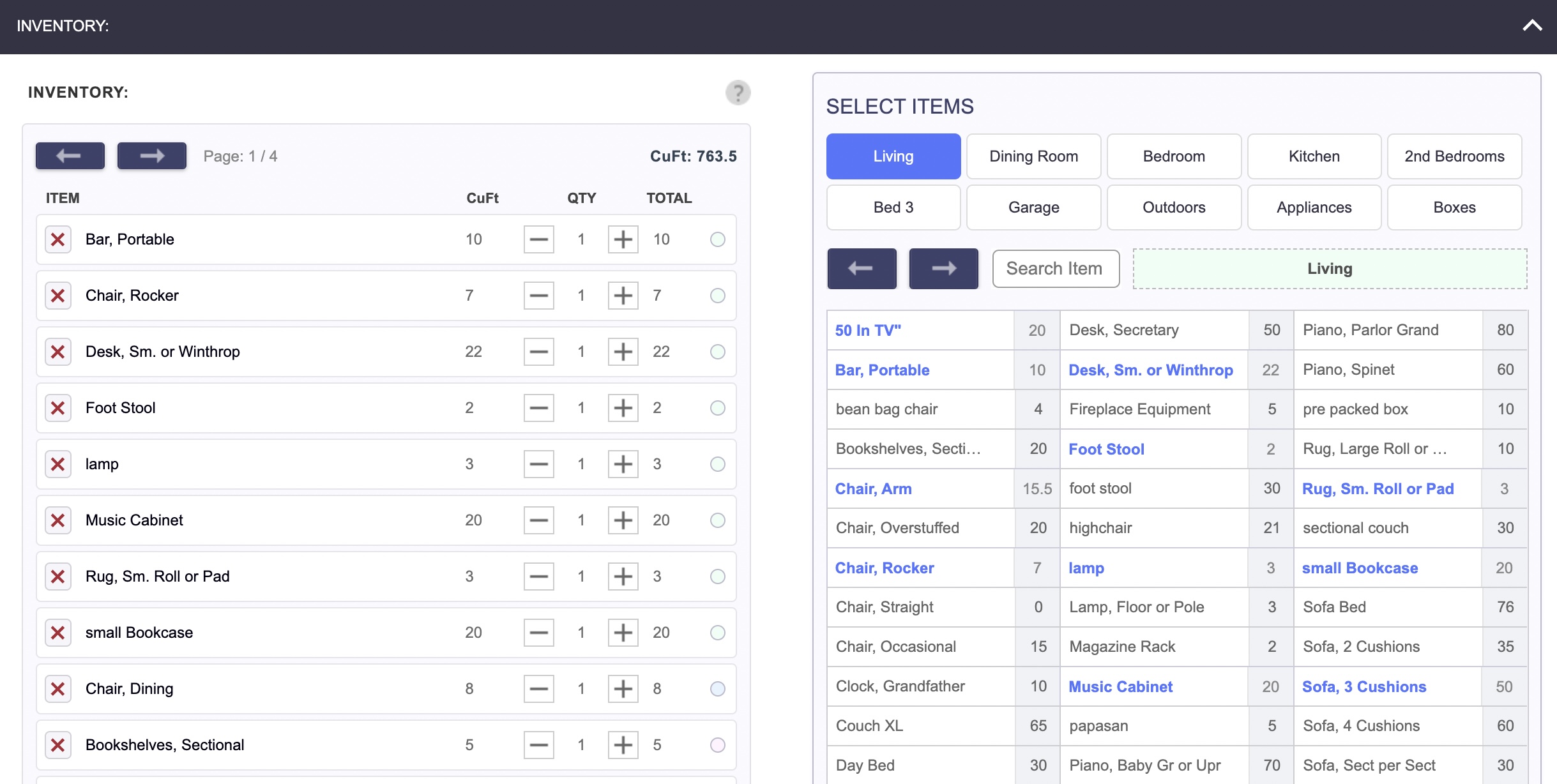
Planning Inventory is crucial to pricing Jobs, selecting the right Truck, Moving Crew, and estimating how long the Job will take. MoverBase makes Inventory Management and Job Price Estimating easy.
- Inventory Assignment: Movers and Estimators have up to date Inventory lists ready when they arrive for the Job
- Powerful Inventory Estimator: Calculate the size of any Job fast
- Inventory Capacity Tracking: Track the cubic feet of every Inventory item
- Get Started Fast with our built in Inventory Library: Inventory Library is prefilled with hundreds of items ready to go
- Customizable Inventory Control: Add your own Inventory or modify preset items
- Inventory Search Capability: Search by keyword or by room and find your Inventory fast